

Start of Advertisement
End of Advertisement
Improved grammar articles navigation

author: Jarek Hajduk
Dec 22nd 2025In this update, I've improved the navigation experience for grammar articles, making it easier to find and access the content you're looking for.
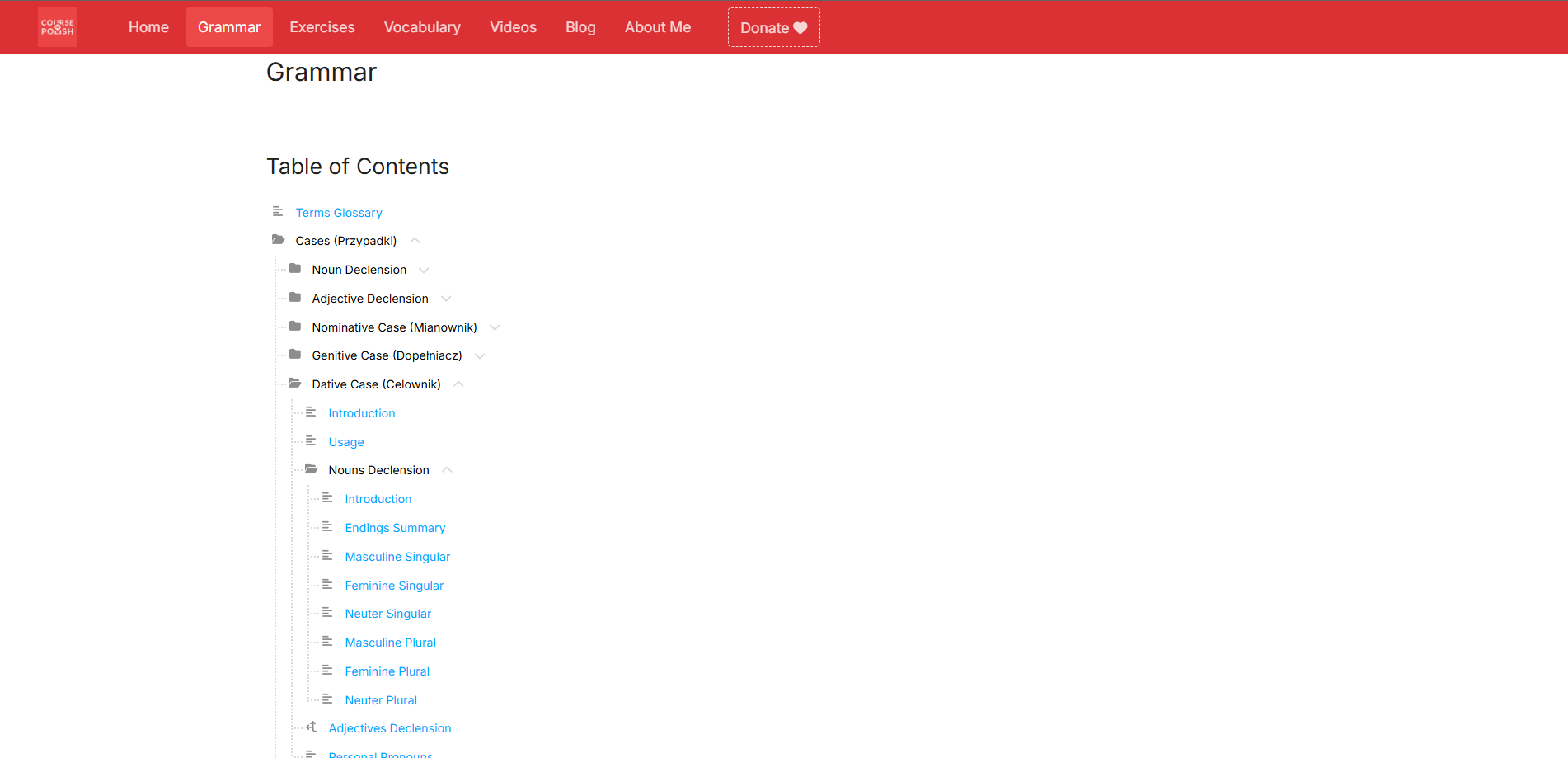
Folders Are No Longer Navigable
So far it was difficult to distinguish an article from a folder in the sidebar menu on desktop. Sometimes it was possible to open a folder and it contained some content, some folders were not navigable and only expanded their subtree. Now all folders are not navigable and all content has been moved to articles. It's much easier now to choose the article you're interested in without the need to navigate through many folders.
Folders are not navigable
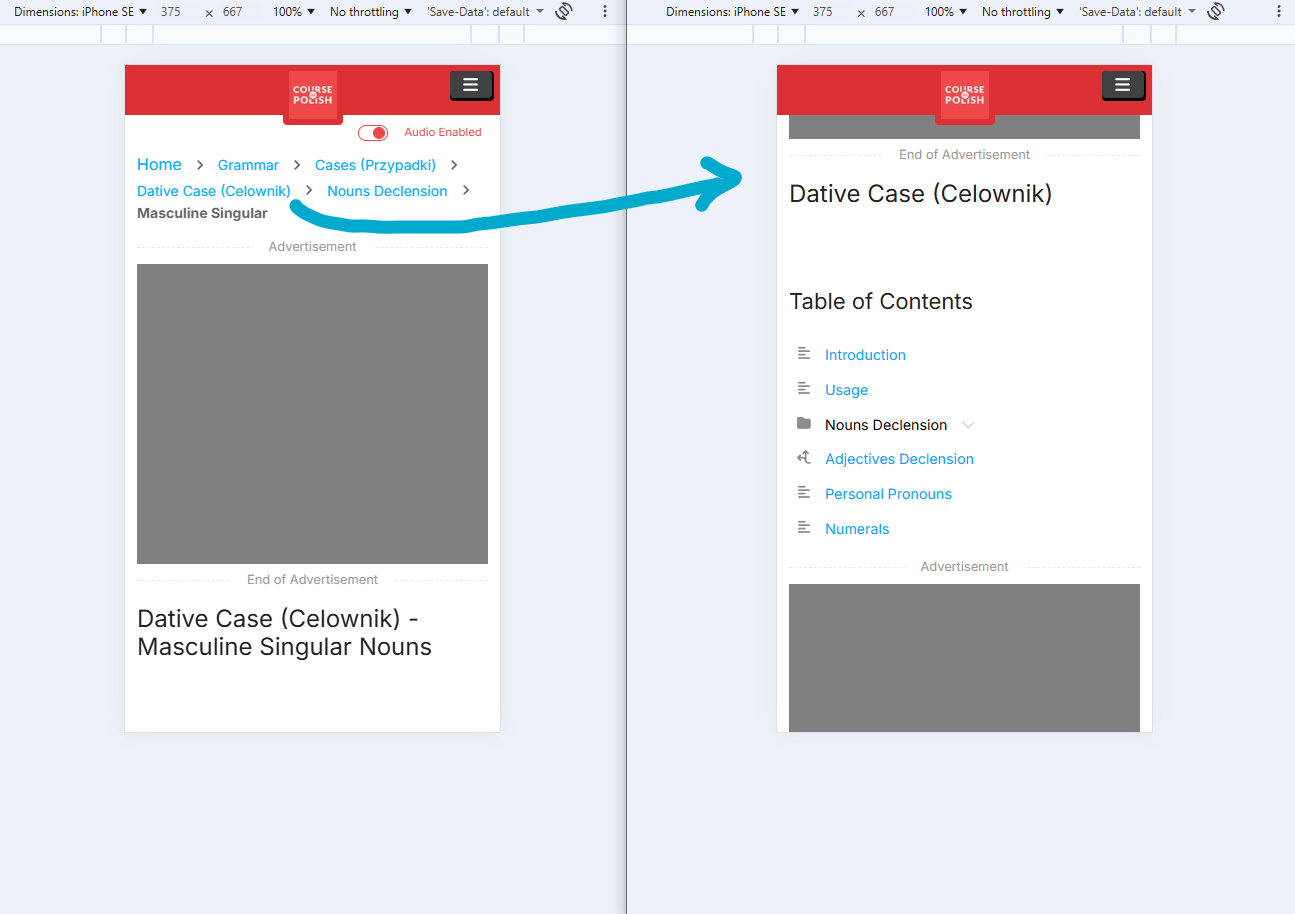
Improved Breadcrumbs
On the other hand, all breadcrumbs in grammar articles are navigable now, even folders. After you click on a folder in the breadcrumb, you will see a subtree of its articles. This will be especially helpful on mobile devices, because there you don't see the sidebar menu as on desktop.
Breadcrumbs are navigable
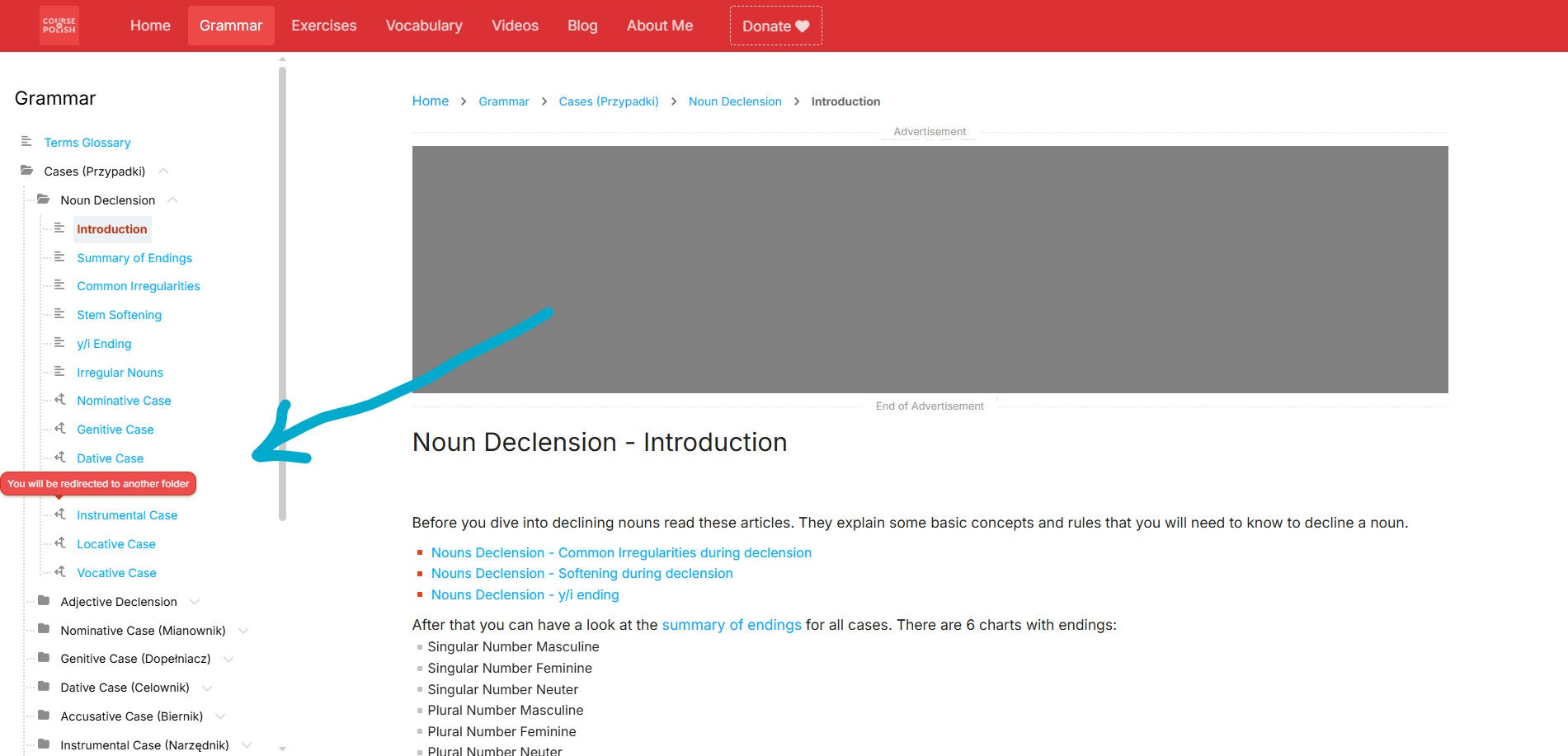
Changed Redirection Icon in Articles Tree
Some links in the articles tree contain redirects to different parts of the tree. I've added a clear icon and tooltip to make these redirects more obvious.
Redirect icon
Previous article:
Next article:

Cześć! Jestem Jarek, miło mi Cię poznać!
(Hello, I'm Jarek, nice to meet you!)
I like learning foreign languages. I've created this website for people like me, who enjoy learning new languages 🙂 I hope my work helped you learn Polish! If you spot a mistake or have a suggestion, I'd love to hear from you.

Cases - Noun Declension
You can support my website and my Youtube Channel by buying my grammar book on Amazon. In that book I have clearly explained, how to create different forms of noun depending on the case, number, and gender.
After reading this book you will be able to decline any noun in the Polish language. This book also contains exercises with answers, which will help you practice what you learn.
Paperback
E-book
Start of Advertisement
End of Advertisement